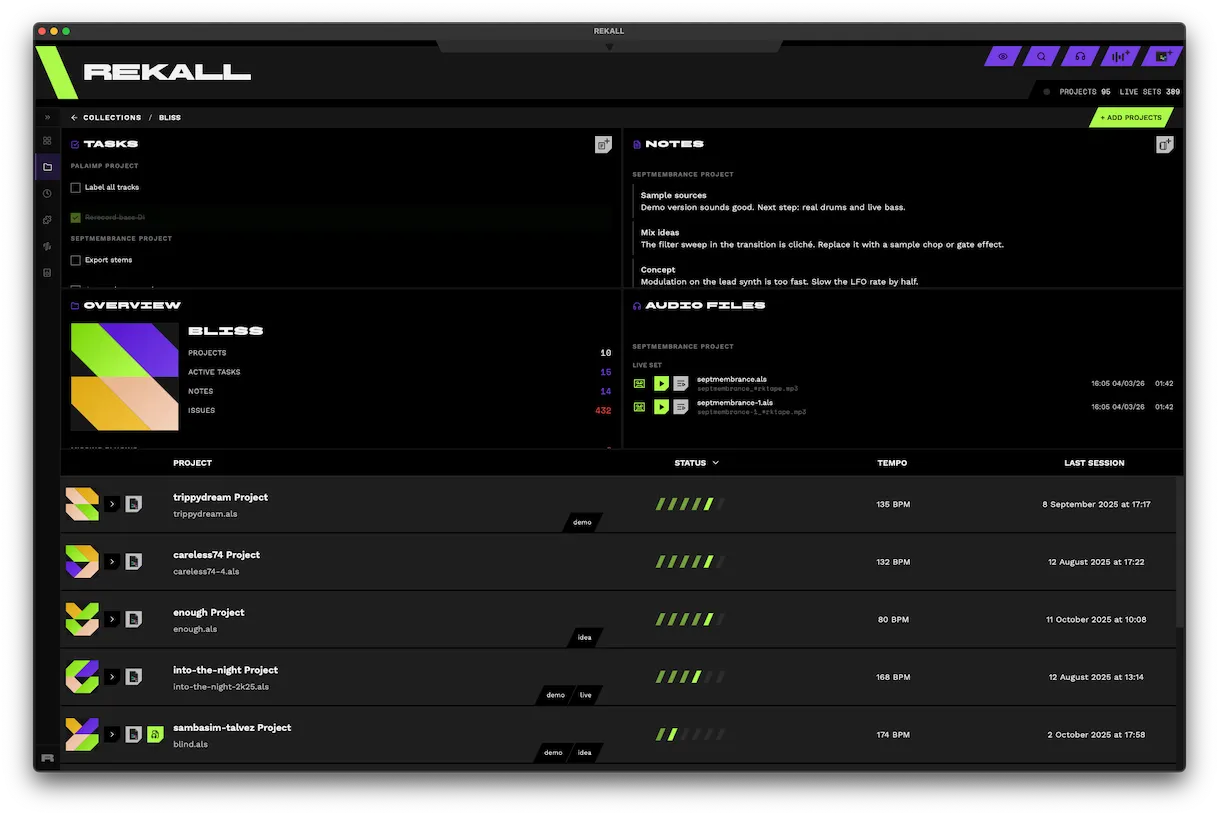
Project Explorer
Easily explore all of your projects.
The project manager for your Ableton Live sets
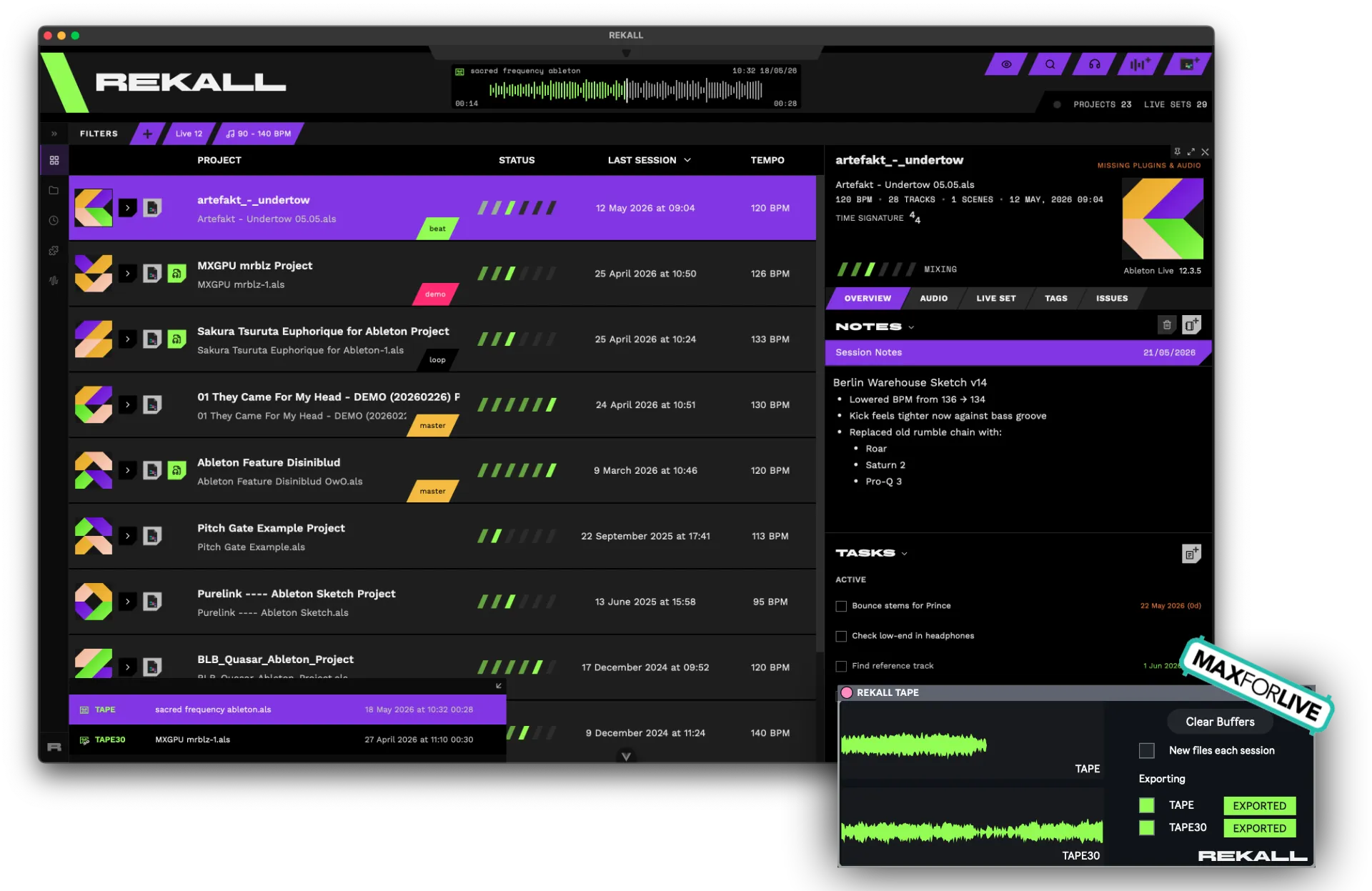
Easily explore all of your projects.
Have a recording of your latest session without hassle with our custom Max for Live device.
Listen all your music in one place. REKALL recognizes your audio files named after your live sets.
Visualize when you last made music.
Write notes about what is missing or what is great and add tasks with deadlines.
Bundle your projects into EPs, albums, singles, etc.
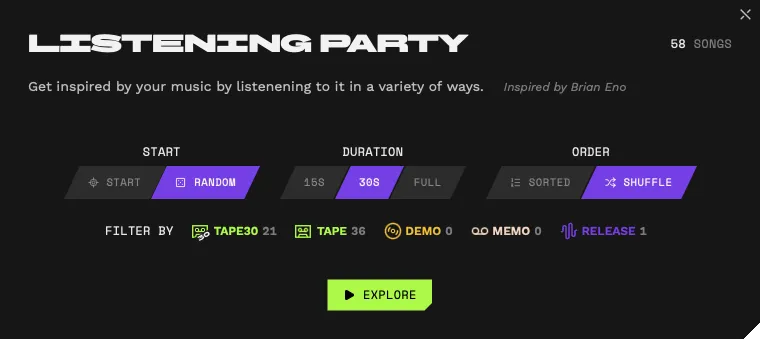
While taking a break, in between sessions or when cleaning up the studio, listen to all of your music in a dynamic way.
Identify any missing plugins or audio samples from your live sets.
REKALL gives you all the necessary tools for managing a large collection of Ableton Live projects.
Drop our custom Max for Live device on your main/master track and it captures exactly what you hear, so you never lose a session again.
Your recordings land right next to the live set they belong to, ready to listen back inside REKALL.
Quickly see the audio files associated with a live set. To listen, just hover over the waveform and the playback will start. Feel free to scrub to any point in time.
A dedicated view for all your audio files, easily sort them and group by project.
Jot down comments at specific times when listening to your bounces.
A creative way to get inspired by your own music, based on a workflow from Brian Eno.
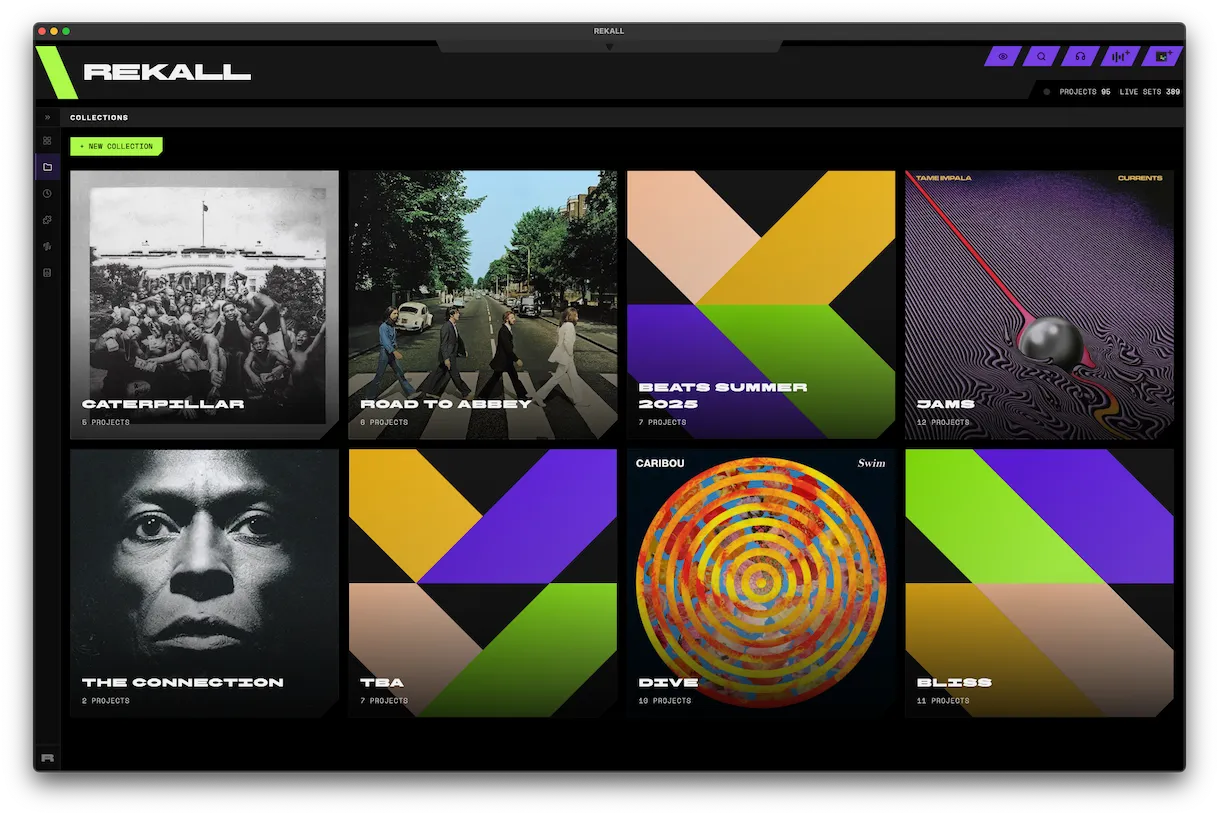
Create collections for your released music or to simply bundle up some ideas together.
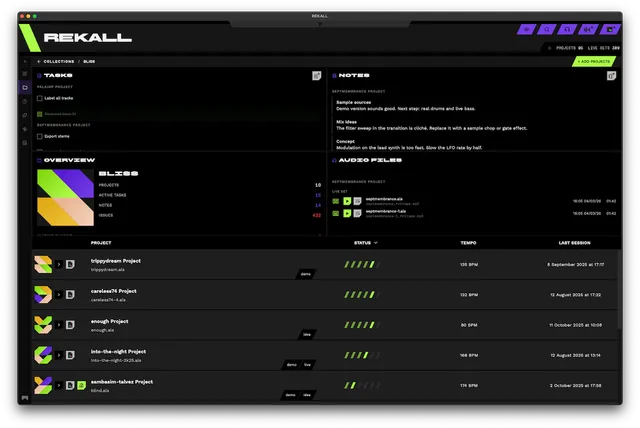
See all the tasks, notes, audio files and any missing plugins/audio files in your collection.
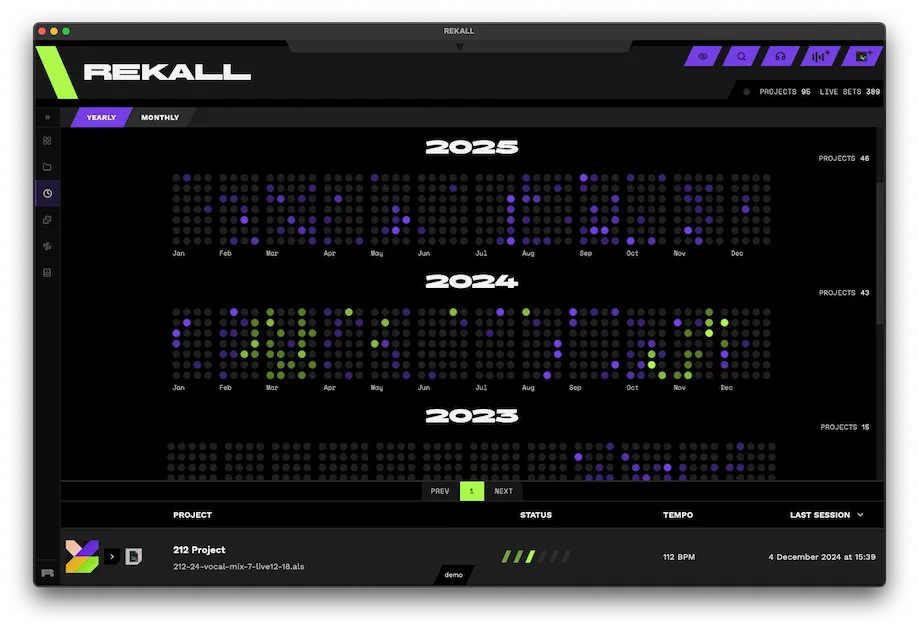
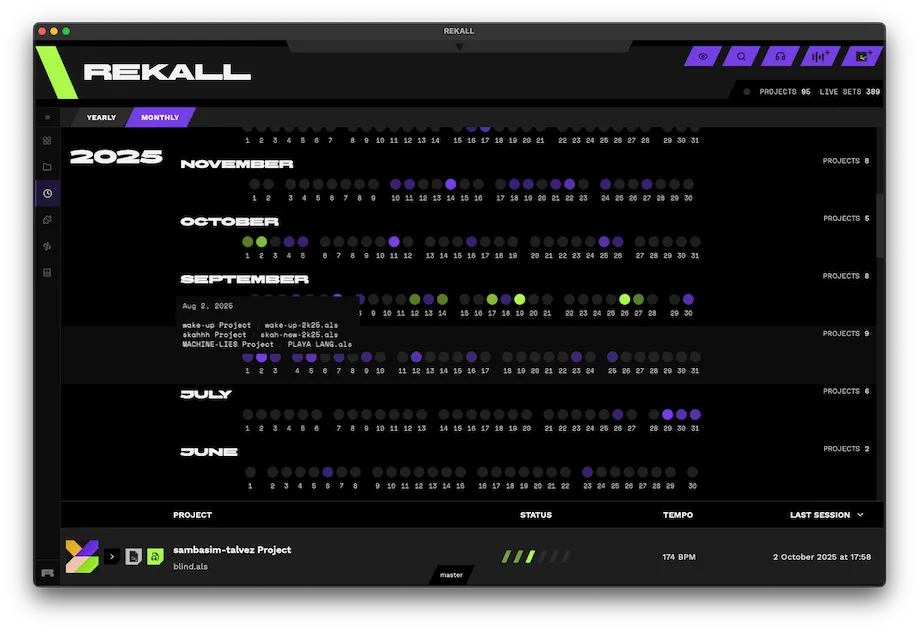
Visualize when you worked on your projects.
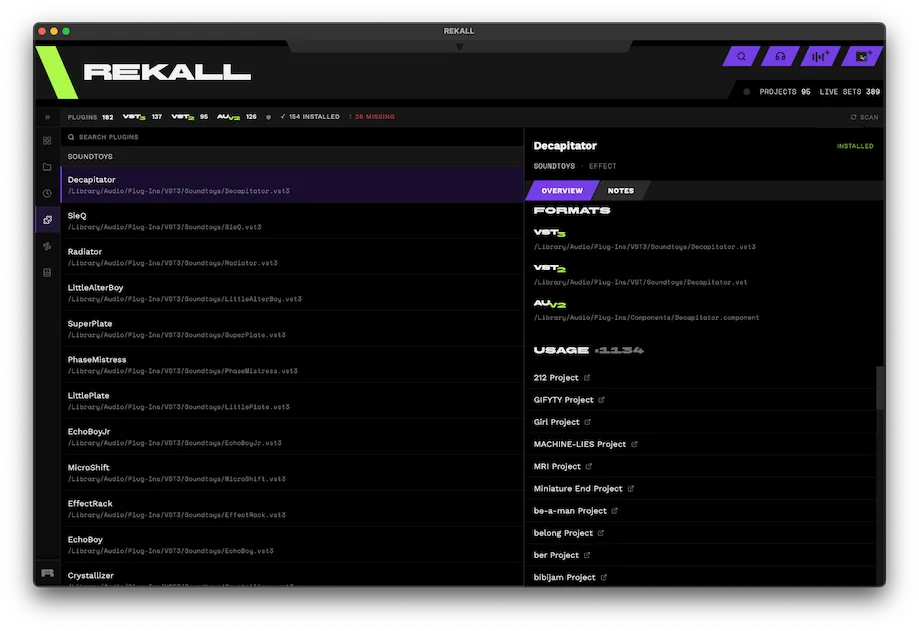
Browse every plugin used across your projects, sorted by usage, manufacturer or name.
Instantly spot plugins that are no longer installed, so you can restore your sessions.
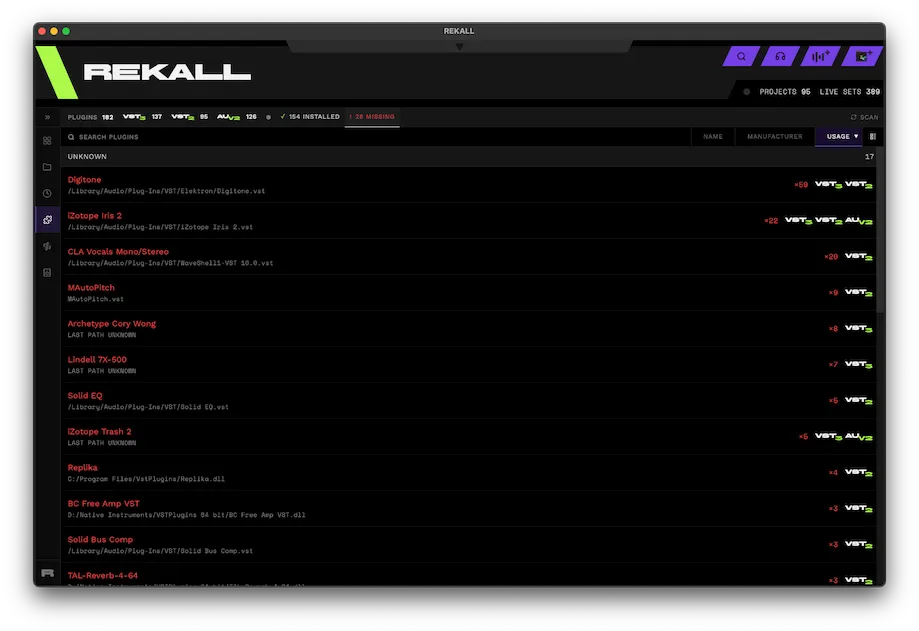
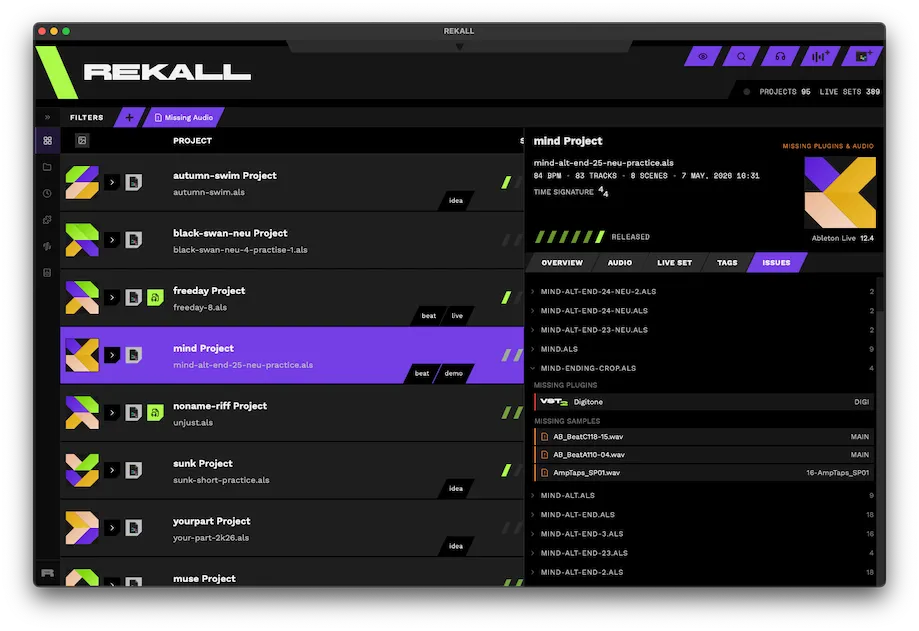
See the missing plugins and audio files for each project at a glance.
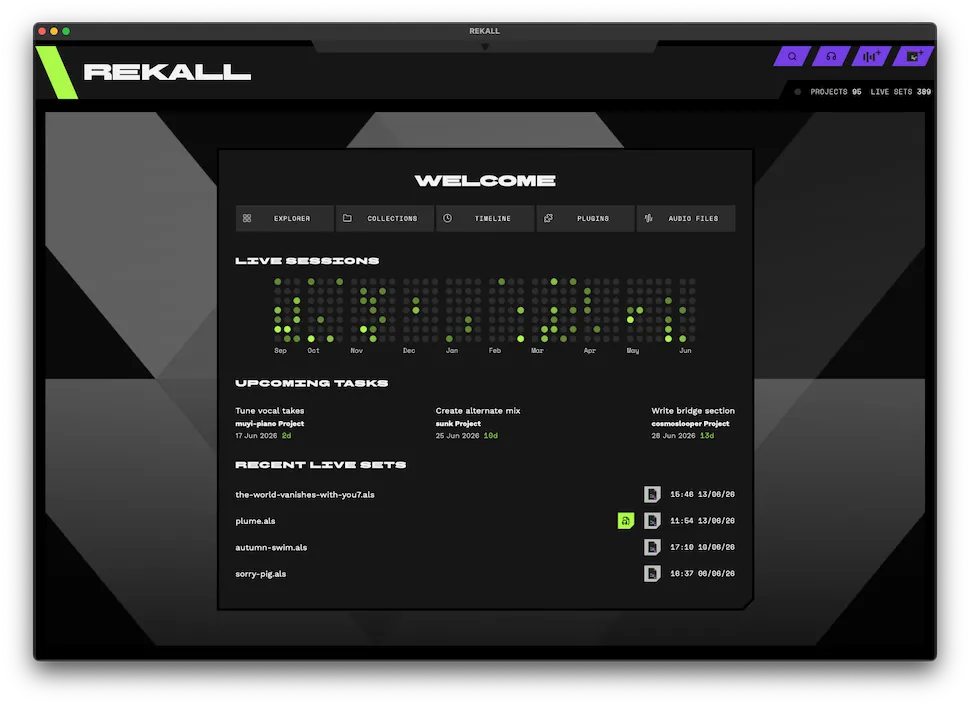
Your home screen surfaces recent live sets, upcoming tasks and your latest activity.
Start free with up to 8 projects. When you outgrow it, one payment unlocks the whole library. No subscription, no renewals.
Everything in Free, plus
If yours isn't here, drop an email and I'll add it.
No. REKALL only reads your .als files but never writes to them. Tags, notes, etc., all live in REKALL's own database. The files on disk are not affected.
REKALL can effectively read all live sets from version 9 of Ableton Live onwards, so Live 9, 10, 11 and 12 are all covered.
macOS 12 Monterey or later, as a universal build for both Apple Silicon and Intel Macs, plus Windows 10 (1809 or later) and Windows 11 on x64.
Yes. The free tier imports up to 8 projects, so you can point it at a folder and see what it does with your own live sets. The €30 PRO license lifts that limit and adds the Tape Recorder Max for Live device.
Everything stays on your machine. Your library index, tags, notes and tasks live in a local database next to the app. REKALL does not upload your projects, your audio or your library anywhere.
Drop the Tape Recorder on your main/master track and it captures exactly what you hear — the full mix, effects and all, straight off the master bus. Every session leaves two recordings behind: the last 30 seconds, and your arrangement.
Only for the Tape Recorder device, which needs Live Suite (or Live Standard with the Max for Live add-on). The rest of the app reads your .als files directly and works with any edition of Live.
By name. Any audio file named after a live set is imported and linked to that project automatically, so your bounces sit next to the session they came from instead of in an Exports folder you have to dig through.
Not today. The whole app is Ableton-specific. With that said, if there's enough interest, I'm open to make it happen.
No. REKALL is a closed-source commercial app. Your library data stays on your machine! Nothing is sent anywhere, but the code itself isn't public.